



Google Business Profile optimisation in Perth comes down to a short list of jobs done properly and kept up to date: the right categories, accurate details, real photos, a steady flow of genuine reviews and replies to every one of them. When a customer in Joondalup, Fremantle or the CBD searches for what you sell, your profile is often the first thing they see, before they ever reach your website. This checklist walks through what to set up, what to maintain and what to avoid.
Quick Answer
To optimise your Google Business Profile, verify it, pick the most specific primary category, use your real business name, keep your address or service area, hours and phone number accurate, write a clear description, add genuine photos regularly, list your services or products, ask every happy customer for a review, reply to all reviews, and post updates. Then check your profile monthly, because details drift and competitors keep improving.
Google itself says local results are mainly based on three things: relevance (how well your profile matches the search), distance (how far you are from the searcher) and prominence (how well known your business is, including reviews and links). You cannot change distance, and Google states there is no way to pay for a better local ranking, so this checklist focuses on relevance and prominence.
Step 1: Claim, Verify and Secure Your Profile
An unverified profile is easy for anyone to suggest edits to, and it will not perform as well. Before anything else:
- Search for your business on Google Maps and confirm whether a profile already exists. Duplicates are common, especially if you have moved premises.
- Claim and verify it through Google’s process. Verification methods vary by business and can include a video recording, phone, text or email.
- Add at least one other trusted person as an owner or manager, so you are never locked out if a staff member leaves.
- Use a business email address you control, not a personal one or an old agency login.
Step 2: Get the Core Business Information Right
Google’s guidelines are strict here, and breaking them can lead to a suspended profile. Accuracy matters more than cleverness.
Business name
Use your real-world business name exactly as it appears on your signage, website and invoices. Do not add keywords such as “Best Plumber Perth” or suburb names unless they are genuinely part of your registered trading name. Keyword-stuffed names are one of the most common reasons local profiles get suspended.
Address or service area
If customers visit you, show your exact address. Google does not accept virtual offices or PO boxes. If you travel to customers, such as a tradie working from home, hide your address and set a service area instead. Google’s guidance suggests keeping service areas within roughly two hours’ drive of your base, so listing every suburb from Two Rocks to Mandurah may not reflect where you really work.
Phone, website and hours
- Use a local phone number that is answered during business hours.
- Link to the most relevant page on your site. For a single-location business that is usually the homepage; for multiple locations, link each profile to its own location page.
- Set regular hours and add special hours for public holidays such as WA Day, Christmas and Easter. Customers who arrive to a locked door tend to leave reviews about it.
Step 3: Choose Categories That Match Your Business
Your primary category is one of the strongest relevance signals on the profile. Google asks you to choose as few categories as possible and make each one as specific as possible. A useful test is to finish the sentence “This business is a…”. “Emergency locksmith service” passes. “Cheap keys” does not.
- Pick the most specific primary category that describes your core business.
- Add secondary categories only for things you genuinely are, not services you offer occasionally.
- Look at the categories used by the top three businesses in the map results for your main search term. They are a good clue, but only copy what is true for you.
Step 4: Write a Description and List Your Services
The business description field allows up to 750 characters, and only the opening part shows before a customer taps “More”. Use the first sentence or two to say what you do, who you do it for and where.
- Write naturally. Mention your main services and the areas you serve once, not ten times.
- Leave out links, prices and sales language. Google’s content rules do not allow them in the description.
- Fill in the Services section (or Products, if you sell items) with each main offering and a short plain-English explanation.
- Complete any attributes that apply, such as wheelchair access, parking, online appointments or women-owned. They help with filtered searches.
Step 5: Add Real Photos and Videos
Google lists photos and videos among its own tips for improving local visibility, and customers use them to decide whether you look trustworthy. Stock images do little for you.
- Upload a clear logo and a cover photo.
- Add exterior shots so people can recognise your shopfront from the street, and interior shots if customers visit.
- Show your team, your vehicles and finished work. Before-and-after photos work well for trades, cleaners and clinics.
- Add new photos regularly rather than fifty in one afternoon and nothing for a year.
Step 6: Build a Steady Flow of Google Reviews
Reviews feed the prominence part of Google’s ranking and heavily influence who gets the call. The aim is a steady stream of honest reviews, not a sudden burst.
How to ask
- Copy the review link from your profile and send it by SMS or email shortly after a job is finished.
- Ask every customer, not just the ones you think are happy. Google’s policy prohibits selectively asking for positive reviews, discouraging negative ones, or offering discounts or other incentives in exchange for a review.
- Do not ask customers to mention particular keywords or staff names. Google prohibits requesting specific review content.
How to reply
- Reply to every review, positive and negative. Google lists responding to reviews as one of its own recommendations.
- For negative reviews, stay calm, acknowledge the issue, avoid sharing private details and offer to sort it out offline.
- Keep replies human. A copied “Thanks for your feedback!” on every review reads as automated.
Reviews are only one part of a wider local SEO strategy for Perth businesses, but they are often the part competitors neglect.
Step 7: Post Updates and Keep Customer Questions Answered
Google Business Profile posts let you share offers, events and news directly on your listing. They are not a major ranking factor on their own, but an active profile shows customers you are open and responsive. A post every week or two about a recent job, a seasonal service or a new team member is plenty for most small businesses.
The public Questions and Answers feature has largely been removed from the front end of Google Maps, with Google moving towards an AI-powered “Ask” experience that answers customer questions using information from your profile and reviews. That makes complete, accurate profile details more important than ever, because they are now part of what Google’s AI draws on when it answers on your behalf. The same principle applies to AI search more broadly; our AI SEO and answer engine optimisation services cover how businesses can be referenced in AI-generated answers.
Step 8: Make Sure Your Website Backs Up Your Profile
Your profile and your website should tell the same story. Mismatched phone numbers or old addresses across your site and online directories create doubt for customers and for Google.
- Show the same name, address and phone number on your website as on your profile.
- Have a dedicated page for each main service, and mention the areas you serve.
- Update listings on directories such as Yellow Pages, True Local and industry associations if your details have changed.
- Earn links and mentions from local organisations, suppliers and media. Google names links as part of prominence.
Strong website SEO for Perth businesses and a well-kept profile support each other, which is why they are usually worked on together.
Your Monthly Google Business Profile Optimisation Checklist
Once the setup is done, ongoing Google Business Profile optimisation for a Perth business takes a small amount of time each month:
- Check that your name, address, phone, hours and website are still correct, and that nobody has suggested unwanted edits.
- Add special hours for upcoming public holidays.
- Reply to any reviews you have not answered.
- Send review requests to recent customers.
- Upload a few new photos.
- Publish one or two posts.
- Review the Performance report for calls, website clicks and direction requests, and note any changes.
- Search your main service plus “Perth” (or your suburb) and see who appears in the map results alongside you.
If you would rather hand this to a specialist, our local SEO services in Perth include Google Business Profile management alongside the wider local search work.
Frequently Asked Questions
How long does it take to see results from optimising my Google Business Profile?
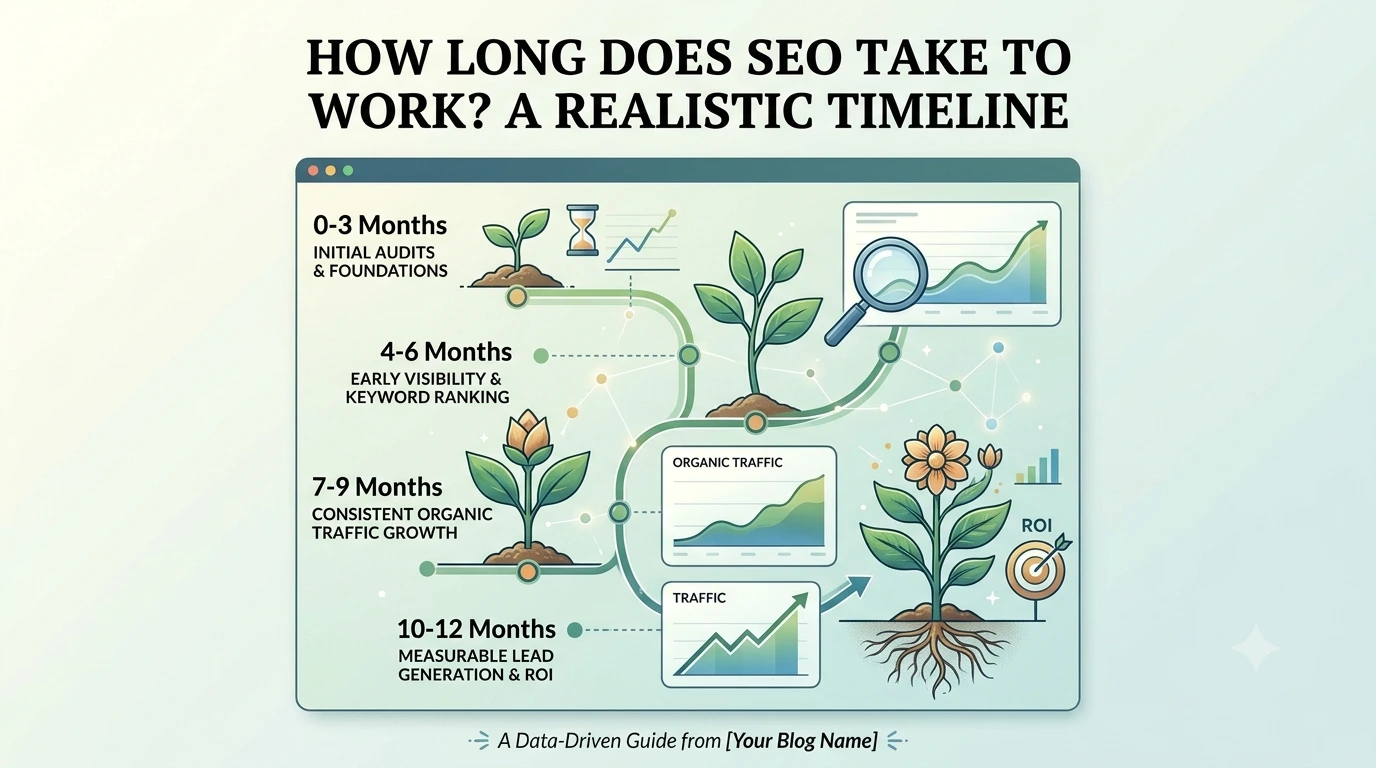
Fixing errors such as the wrong category or missing hours can make a difference fairly quickly, while gains from reviews, photos and links build over months. As with SEO generally, timing depends on your competition. Our guide on how long SEO takes to work explains the factors involved.
Can I add my suburb or keywords to my business name?
Only if they are genuinely part of your real-world business name, as shown on your signage and registration. Adding keywords breaks Google’s guidelines and can get your profile suspended.
I work from home. Should I show my address?
No. If customers do not visit you, hide your address and set a service area. Google’s guidelines expect home-based service businesses to do this.
Can I offer a discount for a Google review?
No. Google prohibits offering incentives of any kind for reviews. You can ask every customer for honest feedback, but you cannot reward them for it or only ask the happy ones.
Can I pay Google to rank higher in the map results?
Not organically. Google states there is no way to pay for a better local ranking. Paid ads can appear above or within map results, but that is advertising through Google Ads, which is separate from your organic listing.
Final Takeaway
A well-optimised Google Business Profile is one of the most cost-effective local marketing tools a Perth business has. Get the basics accurate, follow Google’s rules, build genuine reviews and keep the profile active every month. The businesses that win the map results are usually the ones that simply keep showing up.
If you would like help getting your profile working harder, contact Scalvia for a chat about your local search visibility.